Allow Background Running
Vivo
-
Open System Settings - Battery - Background power consumption.
-
Find Cuto in the list and change the option to Allow high power consumption in background.

- Open System Settings - Privacy - Permission management - Permissions - Autostart, select All and find Cuto, then enable the option.
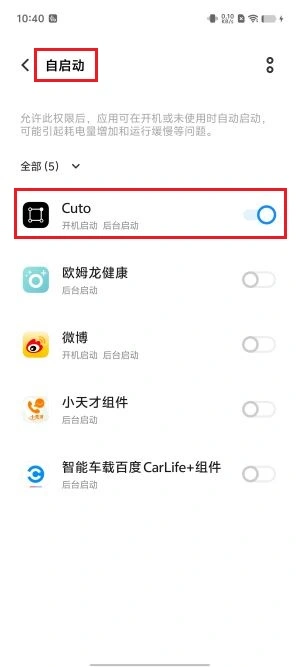
- Go back to the previous Permissions settings, select Modify wallpaper, find Cuto and set to allow.
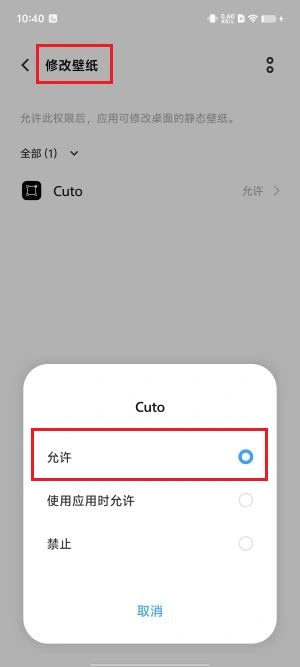
- Go back to the previous Permissions settings, select Network management, allow Cuto to use Mobile data and WLAN.