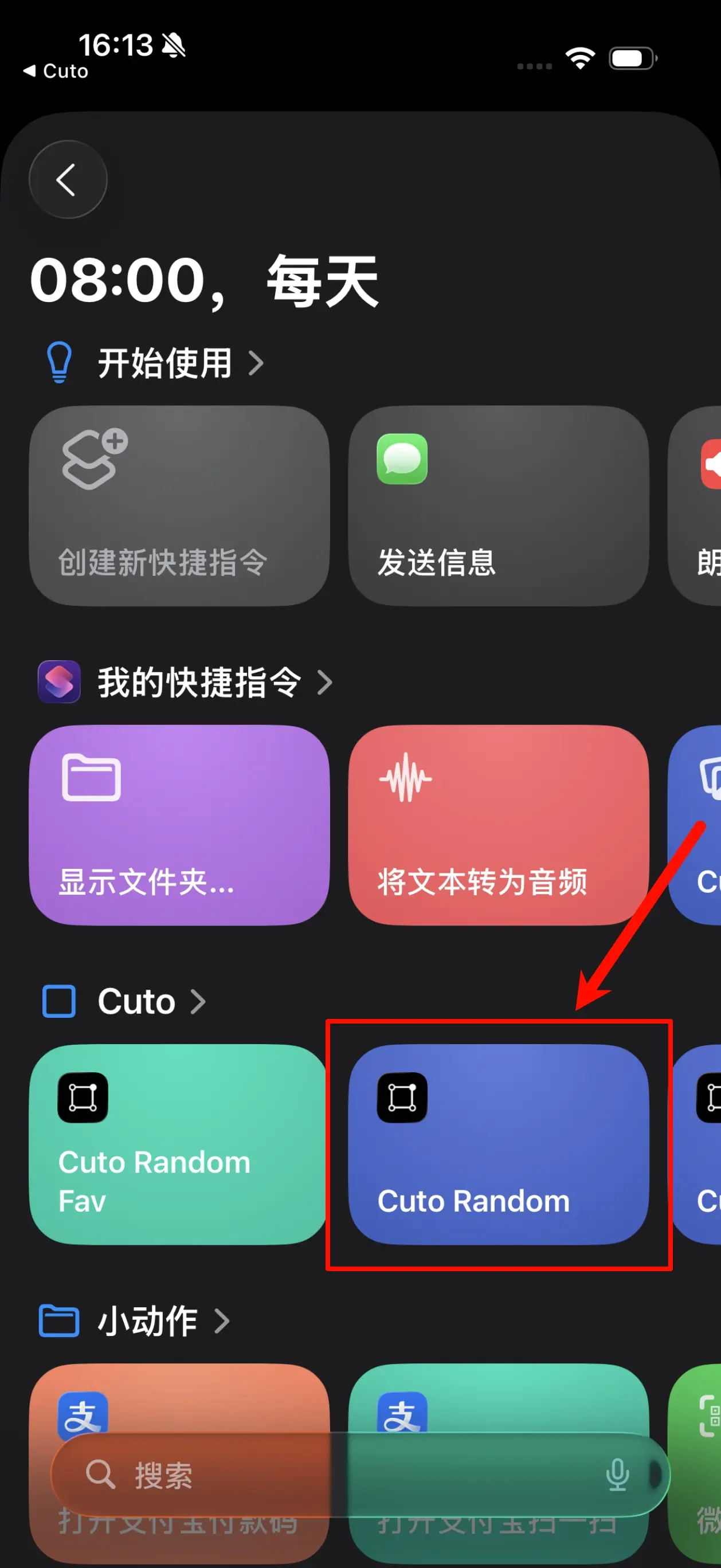
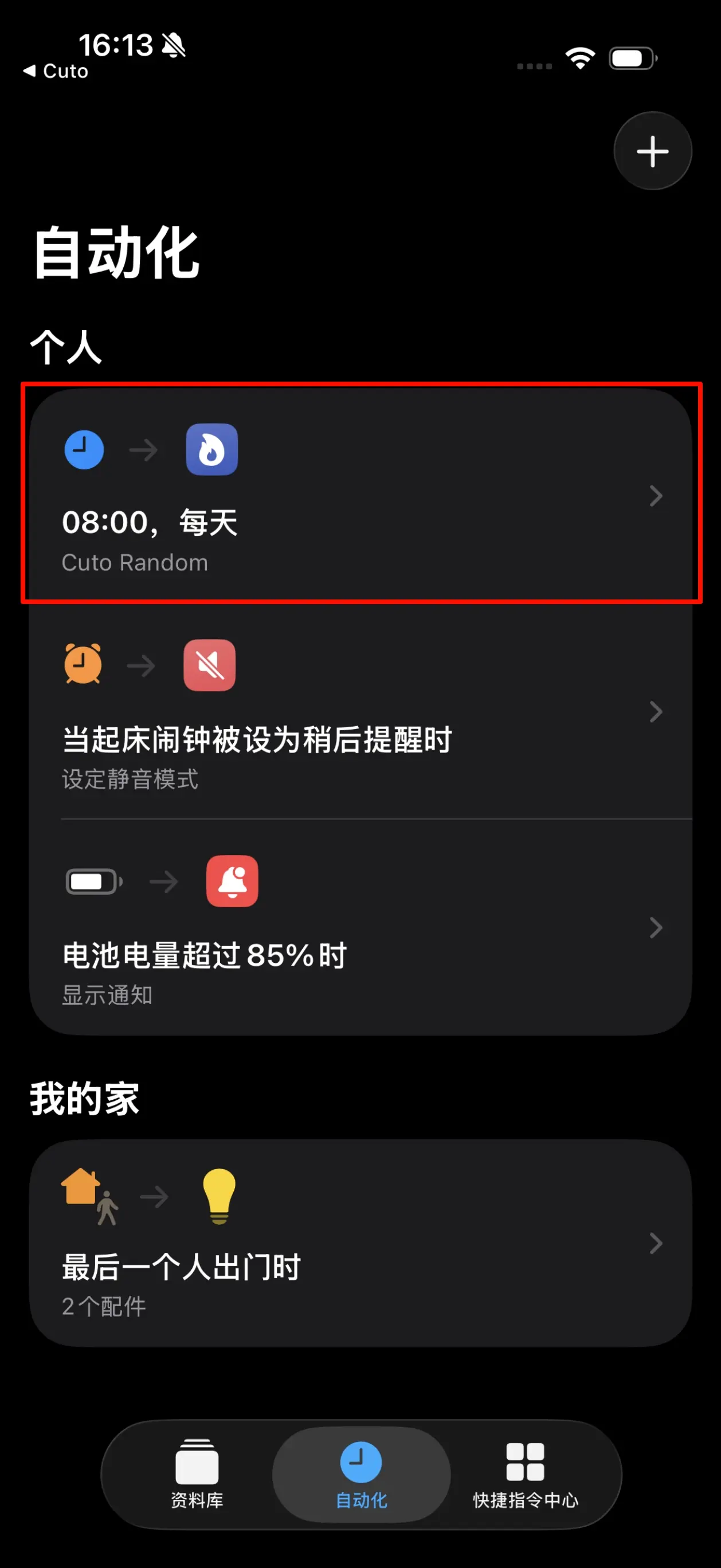
Automatically Change a Random Wallpaper Daily
⚠️ If you are using shortcuts for the first time, please go to “Settings - Shortcuts” in the system settings and turn on the “Allow Untrusted Shortcuts” switch to allow adding Cuto shortcuts.
Step 1: Add Shortcut
Please tap the “Cuto Random” card to jump to the “Shortcuts” App to add it.
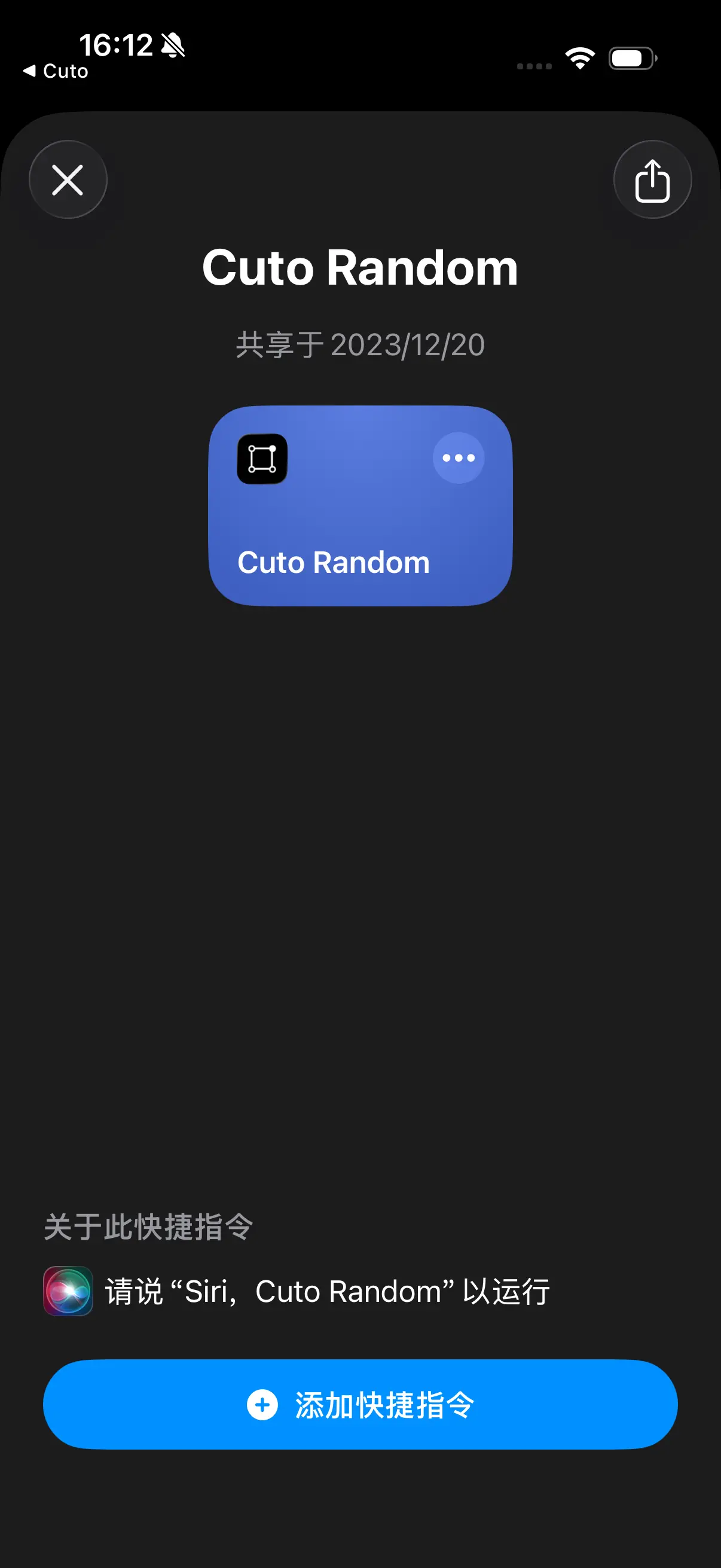
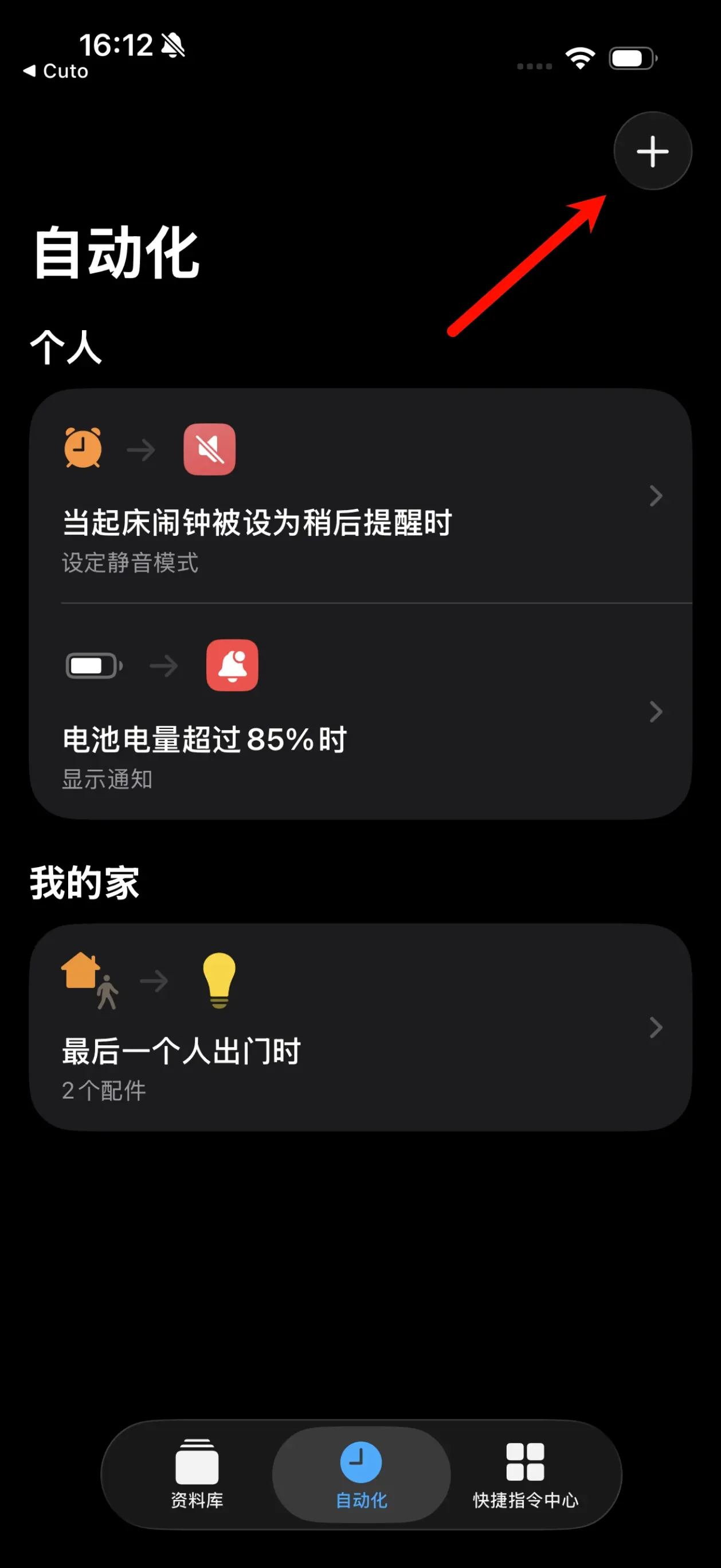
Step 2: Create Automation
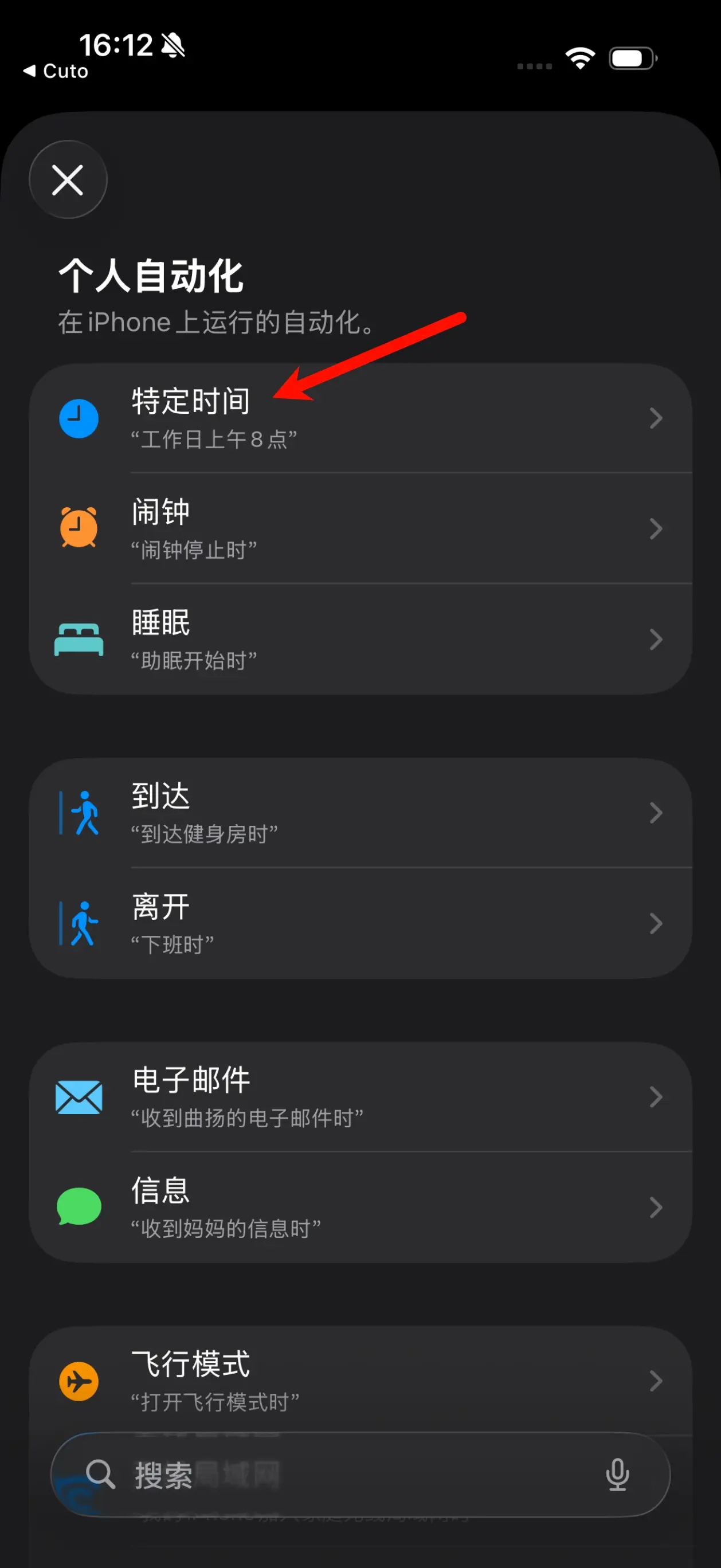
In the “Shortcuts” App, select “Automation” at the bottom and tap the ”+” button in the top right corner.
Select “Specific Time” and set a specific time and repeat frequency, such as “8:00 AM” “Daily”.
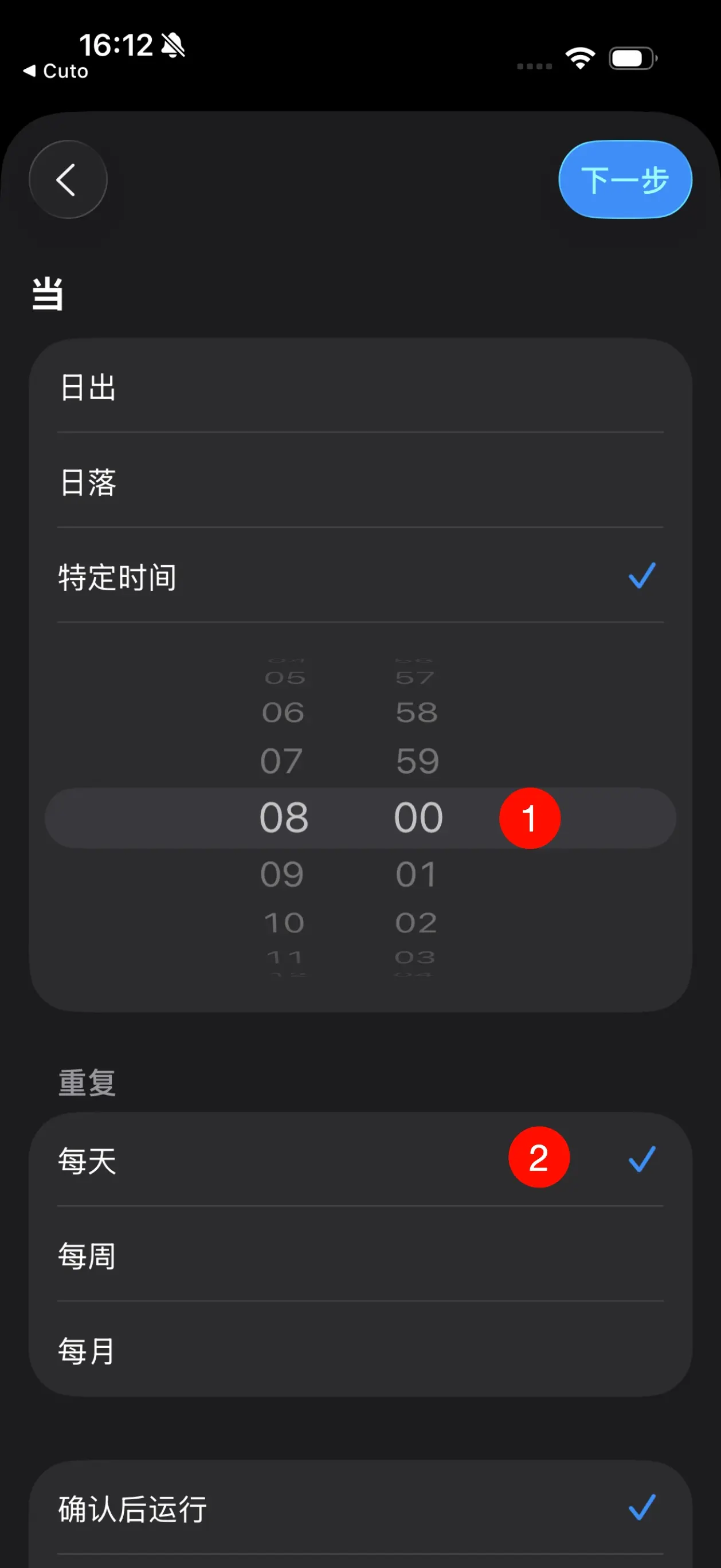
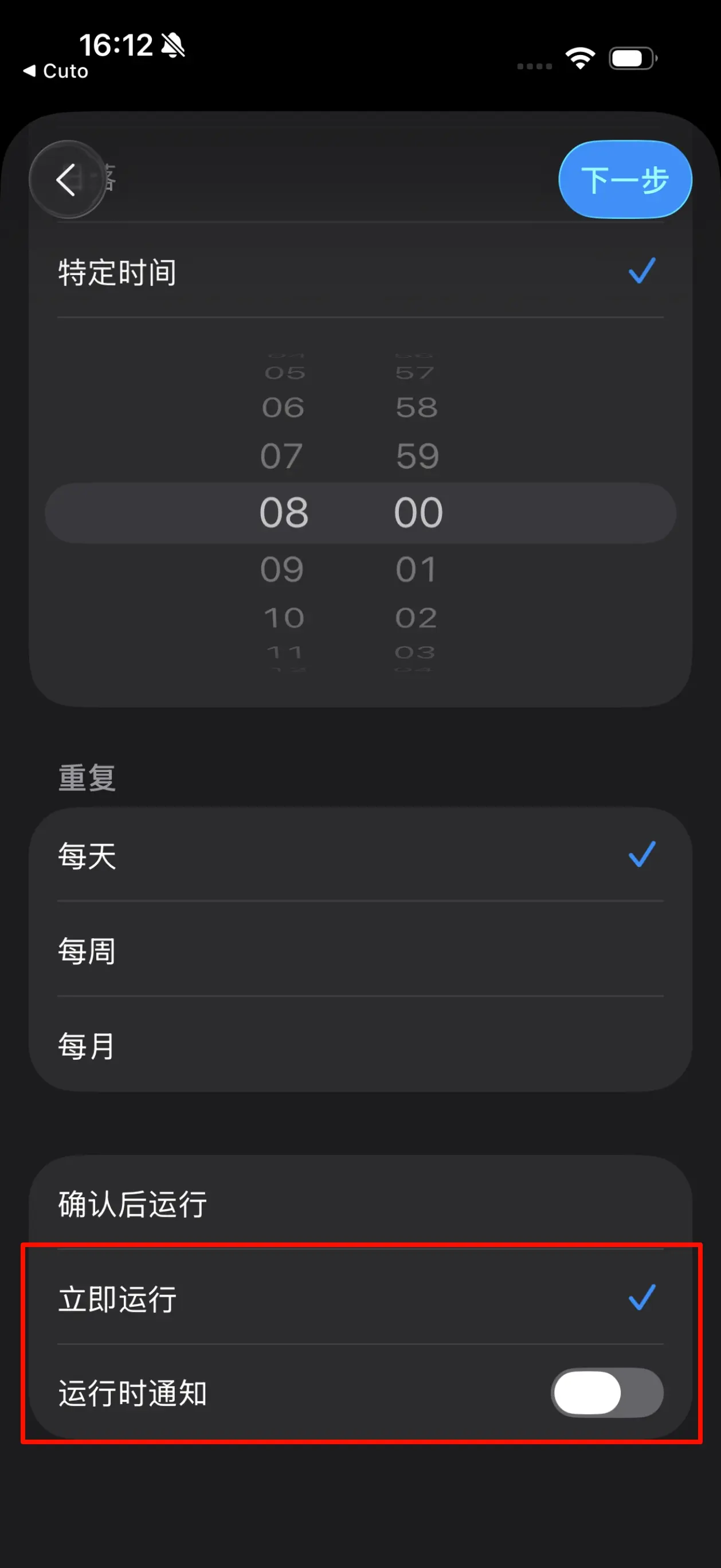
Then, select “Run Immediately” below, turn off “Run Notification” for a completely seamless automatic wallpaper change experience, and finally tap “Next” in the top right corner to continue.
Find “Cuto” under the subheading in the list and select “Cuto Random”, or directly enter “Cuto Random” in the search box to search, select this card, and complete the automation creation.